
Description
A practical guide to dental clinic website design in Canada: the seven best practices that help Ontario dental offices attract new patients, improve local search rankings, and meet AODA accessibility requirements.
Your dental clinic's website is doing one of two things right now: it is either bringing in new patients or sending them to a competitor. There is no neutral ground. When someone searches "dentist near me" or "family dentist St. Catharines," they click one result, spend a few seconds on the page, and make a decision based almost entirely on how the site looks and feels.
For dental practices across Canada, this is both a challenge and a significant opportunity. Most clinic websites are outdated, hard to navigate on a phone, or missing the basic information patients expect to find. Getting even a few things right puts you ahead of the majority of your local competitors.
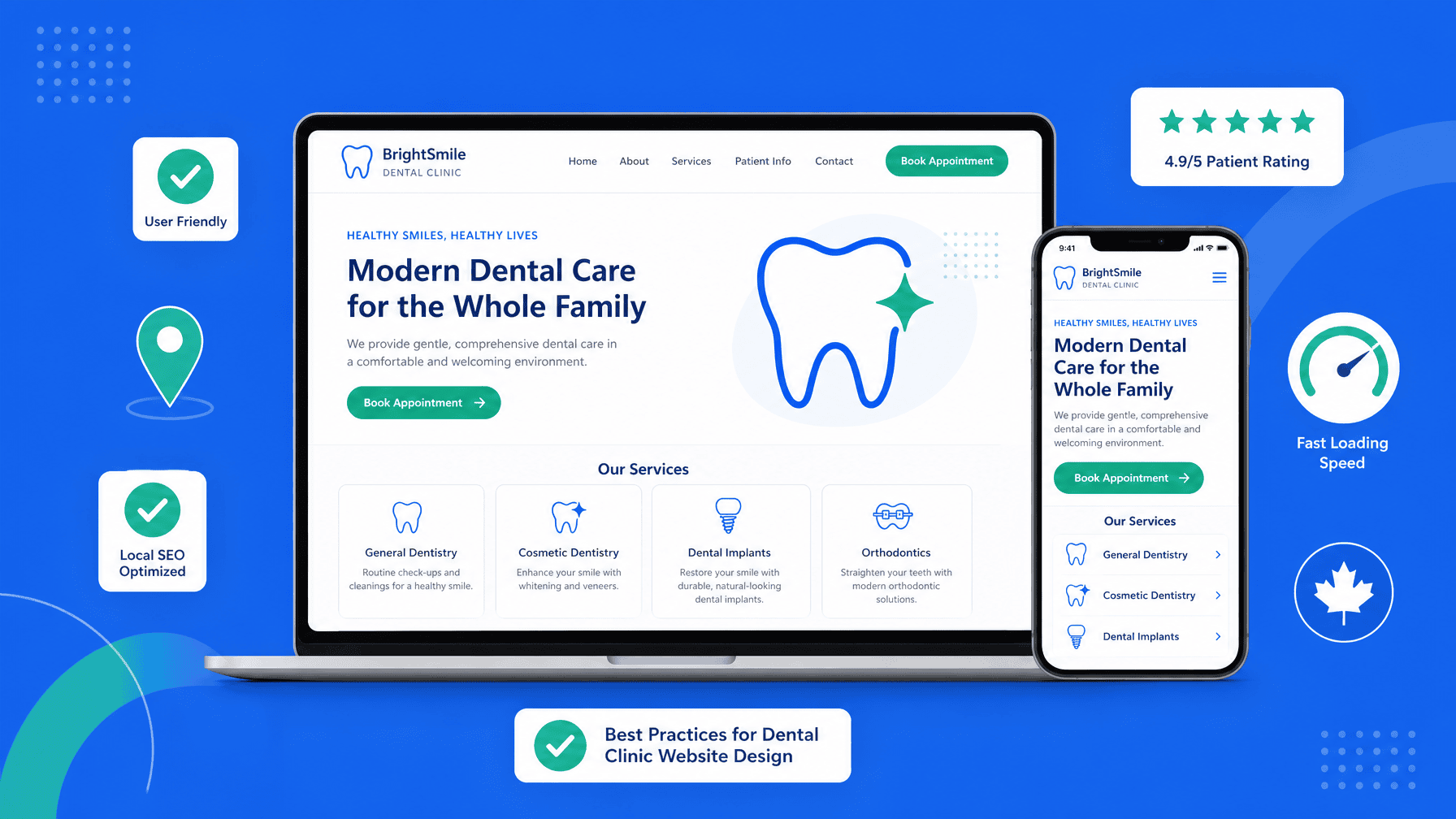
This guide covers the seven most important elements of effective dental clinic website design in Canada, with practical steps you can take right now.
Table of Contents
- Why Your Website Is Your Most Important New Patient Tool
- 1. Make Online Booking Effortless
- 2. Design for Mobile First
- 3. Build Clear Services and Team Pages
- 4. Optimize for Local SEO
- 5. Meet AODA Accessibility Standards
- 6. Build Trust With Reviews and Testimonials
- 7. Prioritize Page Speed
- Ready to Rebuild?
Why Your Website Is Your Most Important New Patient Tool {#why-your-website}
New patients rarely walk in off the street anymore. They search, they browse, and they judge. A clinic with a professional, fast, and easy-to-use website earns the appointment. One with a dated, slow, or confusing site loses it, often before the potential patient even picks up the phone.
The good news: most dental clinic websites in Canada still fall short on the basics. If your practice gets this right, you stand out immediately in any local market.
1. Make Online Booking Effortless {#online-booking}
A real-time online booking tool is one of the highest-return features a dental website can offer. Research published in the Journal of Dental Practice Management via PubMed Central identifies several advantages to real-time online scheduling for dental offices, including attracting new patients and keeping appointment books fuller.
The key word is "real-time." A contact form that says someone will call you back is not booking. Patients want to choose a date, pick a time, and confirm their appointment in under two minutes. If your website requires a phone call during business hours, a portion of your potential patients will simply move on.
Practical steps:
- Integrate a real-time scheduling tool (many dental practice management platforms include one)
- Place the "Book Now" button in your site header so it is visible on every page
- Make it work flawlessly on a smartphone. Most patients will book from one
2. Design for Mobile First {#mobile-first}
The majority of local searches in Canada happen on smartphones. If a patient pulls up your site on their phone and has to pinch and zoom to read your hours, or if the "Book Appointment" button is too small to tap, they are gone.
Mobile-first design means building your site so the smartphone experience is the priority, not an afterthought. This includes:
- Large, tappable buttons with clear labels
- Readable font sizes without zooming
- Phone numbers that trigger a call when tapped
- A streamlined menu that works with one thumb
Google also uses mobile-friendliness as a ranking factor. A site that performs poorly on phones ranks lower in search results, compounding the problem.
3. Build Clear Services and Team Pages {#services-and-team}
Dental patients want to know exactly what you offer and who they will be seeing before they ever walk through your door. The American Dental Association recommends including detailed service information, dental team bios, and patient financing options as core elements of any practice website aimed at attracting new patients.
For each service page, write in plain language. Avoid clinical jargon. A parent searching for a pediatric dentist does not want to read a list of procedure codes. They want to understand what the experience will be like for their child.
Team bios matter more than most clinics realize. A photo and short biography for each dentist builds familiarity and trust before the first appointment. Patients choose healthcare providers in part based on perceived personality fit. Give them enough information to feel confident.
4. Optimize for Local SEO {#local-seo}
A beautifully designed dental website that does not rank in Google searches is invisible. Local search engine optimization is how you connect the two.
Start with the fundamentals:
- Page titles and headings should include your city or neighbourhood name alongside your service (e.g., "Family Dentist in St. Catharines | [Clinic Name]")
- Google Business Profile. Claim it, verify it, and keep it updated with your hours, photos, and services. Practices that appear in Google's Local Pack (the map results at the top of local searches) get a disproportionate share of clicks
- Consistent NAP data. Your Name, Address, and Phone number must match exactly across your website, Google Business Profile, and any directory listings
- Patient reviews on Google directly influence your local ranking. Encourage satisfied patients to leave a review after their appointment
For dental clinics targeting patients across a region, creating individual pages for each community you serve (rather than one generic location page) can significantly improve visibility for neighbourhood-specific searches.
5. Meet AODA Accessibility Standards {#aoda-accessibility}
In Ontario, the Accessibility for Ontarians with Disabilities Act (AODA) sets legal requirements for digital accessibility. Healthcare providers are expected to meet WCAG 2.0 Level AA at minimum. Beyond legal compliance, an accessible website simply works better for everyone. It loads faster, is easier to navigate, and reaches a wider audience.
For dental clinic websites, accessibility means:
- Sufficient color contrast between text and backgrounds
- Alt text on all images (including team photos and service imagery)
- Forms that are keyboard-navigable and properly labeled
- Video content with captions (useful if you include procedure explainer videos)
- A logical heading structure (H1, H2, H3 in order)
If your current site was built more than three years ago, it almost certainly has accessibility gaps. An audit from an experienced web team will identify exactly what needs to change.
6. Build Trust With Reviews and Testimonials {#trust-signals}
Dental anxiety is real. Many patients put off dental visits precisely because of uncertainty and fear. Your website can actively reduce that anxiety by showing evidence that real patients have had positive experiences at your clinic.
Feature patient testimonials prominently on your homepage and key service pages. If your practice has strong Google reviews, display a live feed or a curated selection on the site. Include the patient's first name and neighborhood when possible. Local specificity makes testimonials feel more genuine.
Before-and-after galleries (with patient consent) are particularly effective for cosmetic services. They demonstrate results in a way that no amount of written copy can match.
7. Prioritize Page Speed {#page-speed}
A slow website costs you patients and search rankings simultaneously. Google uses Core Web Vitals. A set of page performance metrics. As a ranking signal. A page that takes more than three seconds to load on mobile loses a significant share of visitors before they ever see your content.
Test your current site using Google PageSpeed Insights. Pay particular attention to the mobile score. Common issues on dental clinic websites include oversized image files, too many third-party scripts, and unoptimized hosting.
If your site scores below 70 on mobile, it is worth prioritizing a rebuild or at minimum a technical optimization pass.
Ready to Rebuild Your Dental Clinic Website? {#cta}
A strong dental clinic website is not a luxury. It is the foundation of your patient acquisition strategy. Every month your site underperforms is patients going elsewhere.
At NativaWeb, we specialize in website design for dental clinics and healthcare providers across Canada. We build mobile-first, AODA-compliant WordPress sites that are fast, accessible, and designed to convert visitors into booked appointments.
Ready to see what your site could look like? Book a free, no-pressure consultation and let us walk you through the possibilities.